
Search
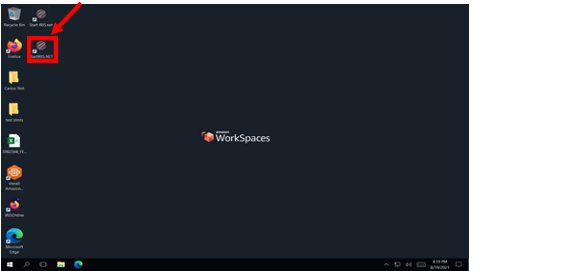
- Once you have logged in to your workspace open the IRIS application. A shortcut can be found on your desktop.
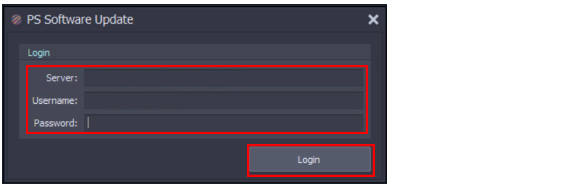
- Input your Server link (e.g.: https://serverlink.iris.server.net/), your Username (e.g.: John.Smith3) and Password (e.g.: Pa55.word!) into the appropriate fields then click login.
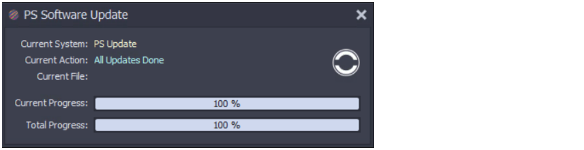
- The following window will open as the program loads, no action is required but this may take 20-30 seconds to load as the application checks for server updates.
- Once IRIS has finished loading the IRIS bar will open.
