
Search
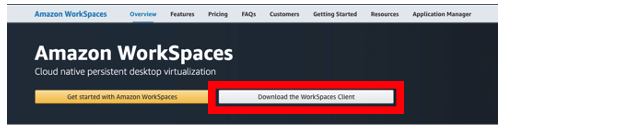
- Go to Amazon WorkSpaces on your browser.
- Click on “Download the WorkSpaces Client”.
- Select the appropriate version for the operating system you are using.
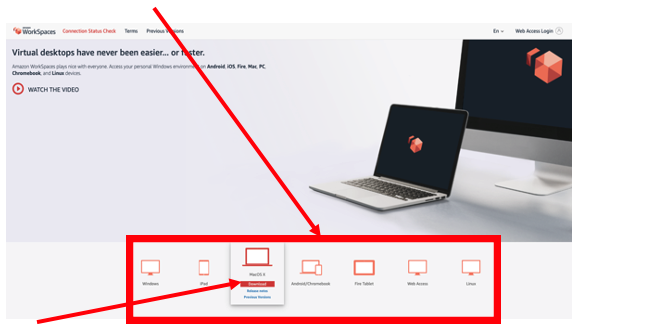
- Click “Download”.
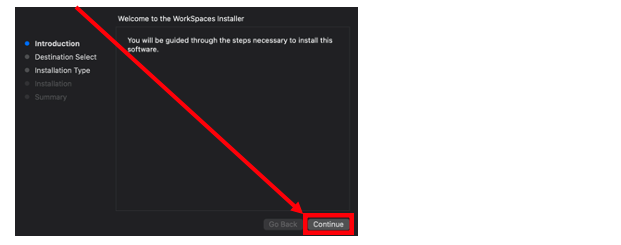
- Open the downloaded file.
- Click “Continue”.
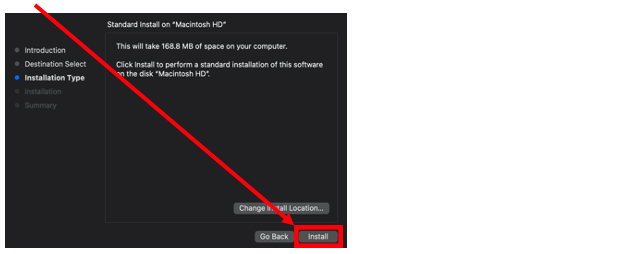
- Click “Install”.
- Click “Close” to close the installer once the installation has finished.
- Open the WorkSpaces application and input your registration code (e.g.: STrts+YETSWU).
- Input your Username (e.g.: john.smith3) and Password (e.g.: Pa55.word!) to login to WorkSpaces.