
Search
Subcodes on a song allow you to change the way money is paid out to clients depending on specific circumstances.
i.e. (1)You have ASCAP/ BMI writers or publishers on a song and want ASCAP statement income to go to different clients than BMI statement income. (2) you want income in a particular territory to be paid out differently than other territories.
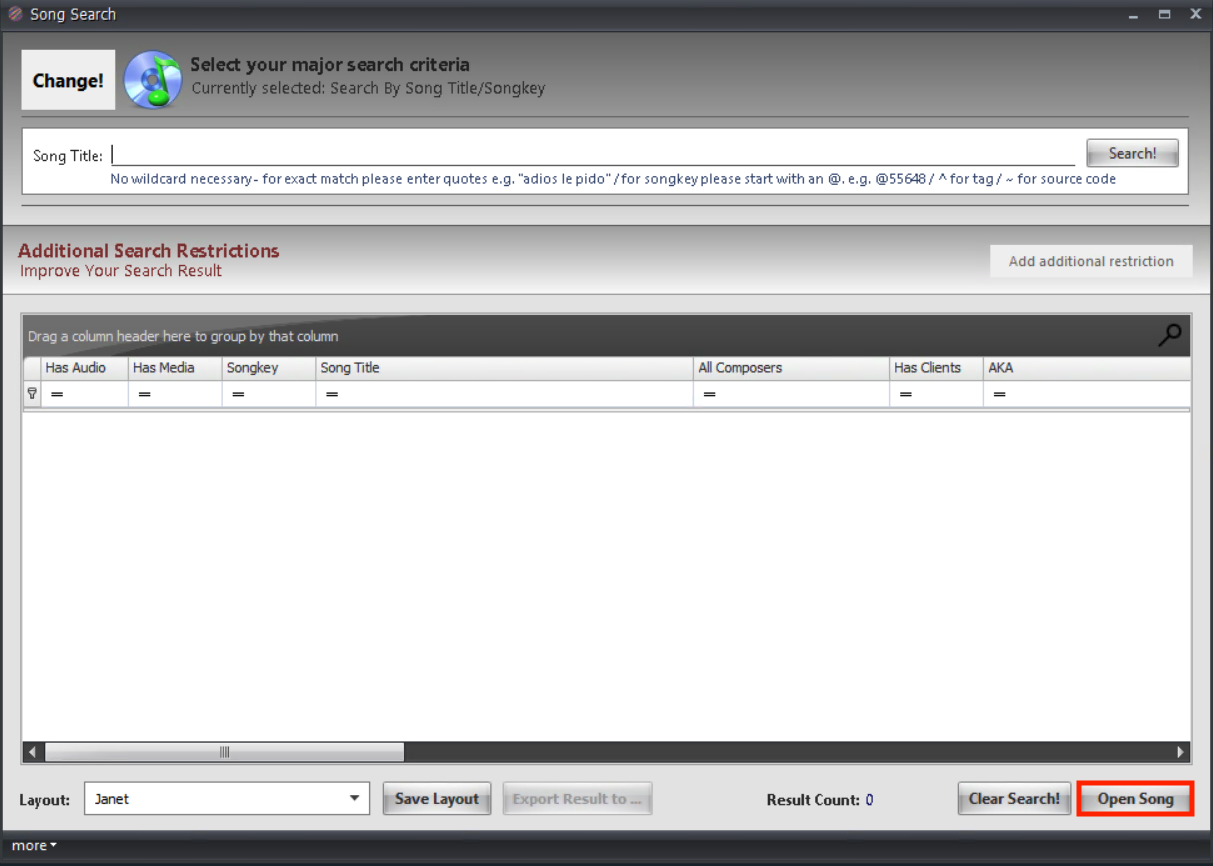
- Search for the song you wish to add a subcode to.

- Open the song mask by double clicking on the row or selecting the row and clicking open song.
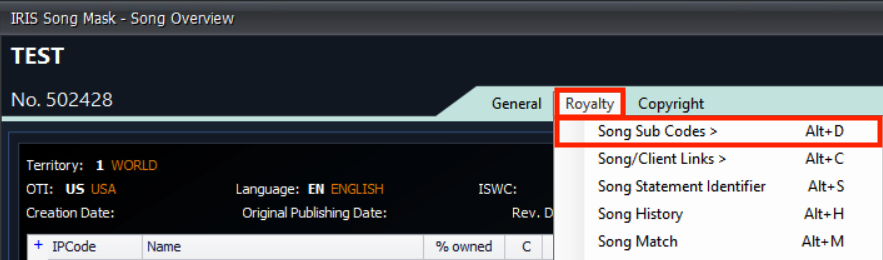
- Click Royalty and then Song Sub Codes.
- Enter a Sub Code number and a Description/Royalty Note.

- Click Add Sub Code then click Save.
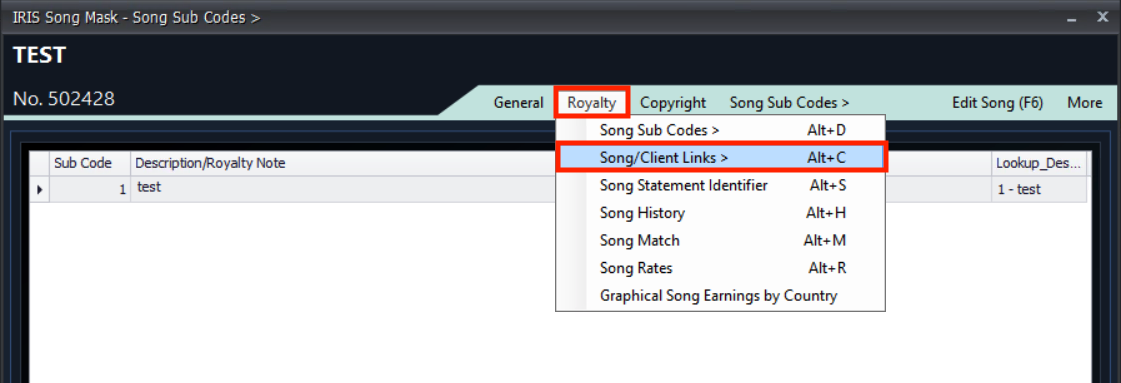
- Click on Royalty then on Song/Client Links.
- Add the client by clicking on the … that will open a search window. Search for and select the correct client then click Select.
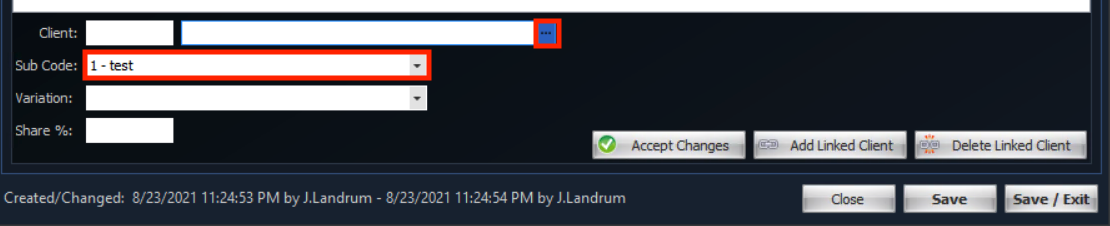
- Choose the appropriate subcode.
- Click “Add Linked Client”. Repeat for other clients and/or subcodes.
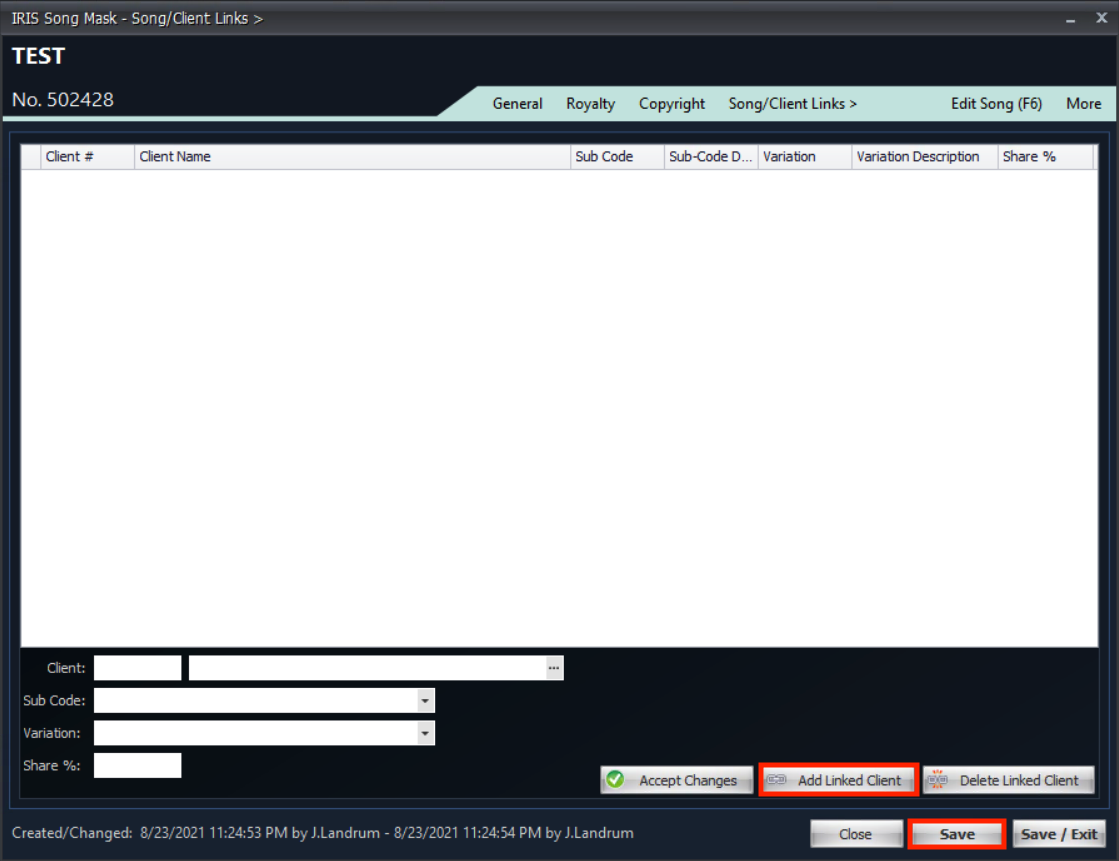
- Click Save.
- In the Royalty Management tab on the IRIS ribbon, click Rate Management.

- Click new.

- Enter a client linked to a subcode by clicking the … and searching for the correct client. Then enter the song you have added the subcode to by clicking the … to open up the song search window.

- Enter subcode number(including song and subcode number and appropriate rates).
- Enter any Subcode rates into the appropriate sections in the Domestic tab.
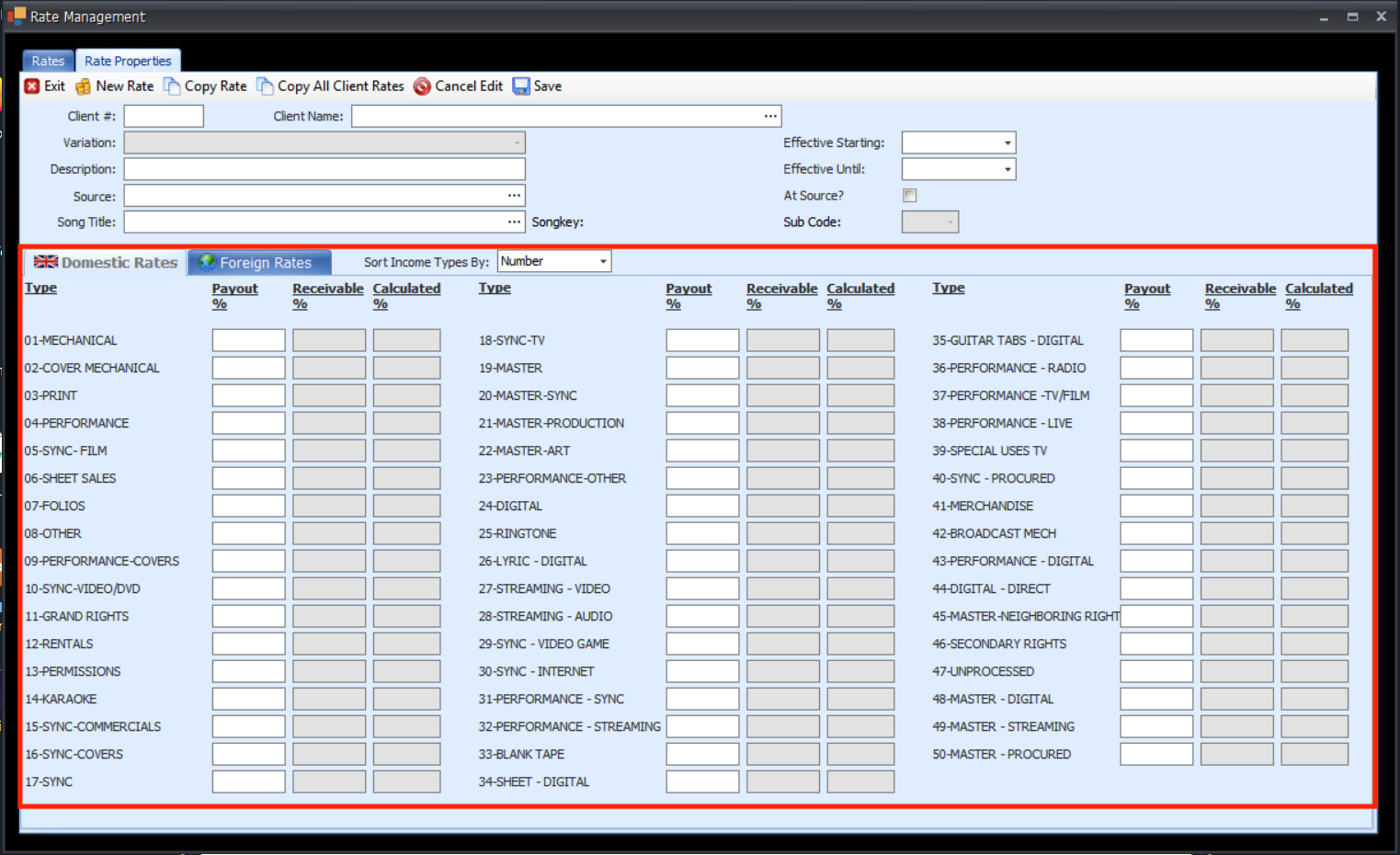
- Copy domestic rates to foreign if applicable by clicking on the Foreign tab then clicking Copy domestic Rates (then click yes on the pop up).
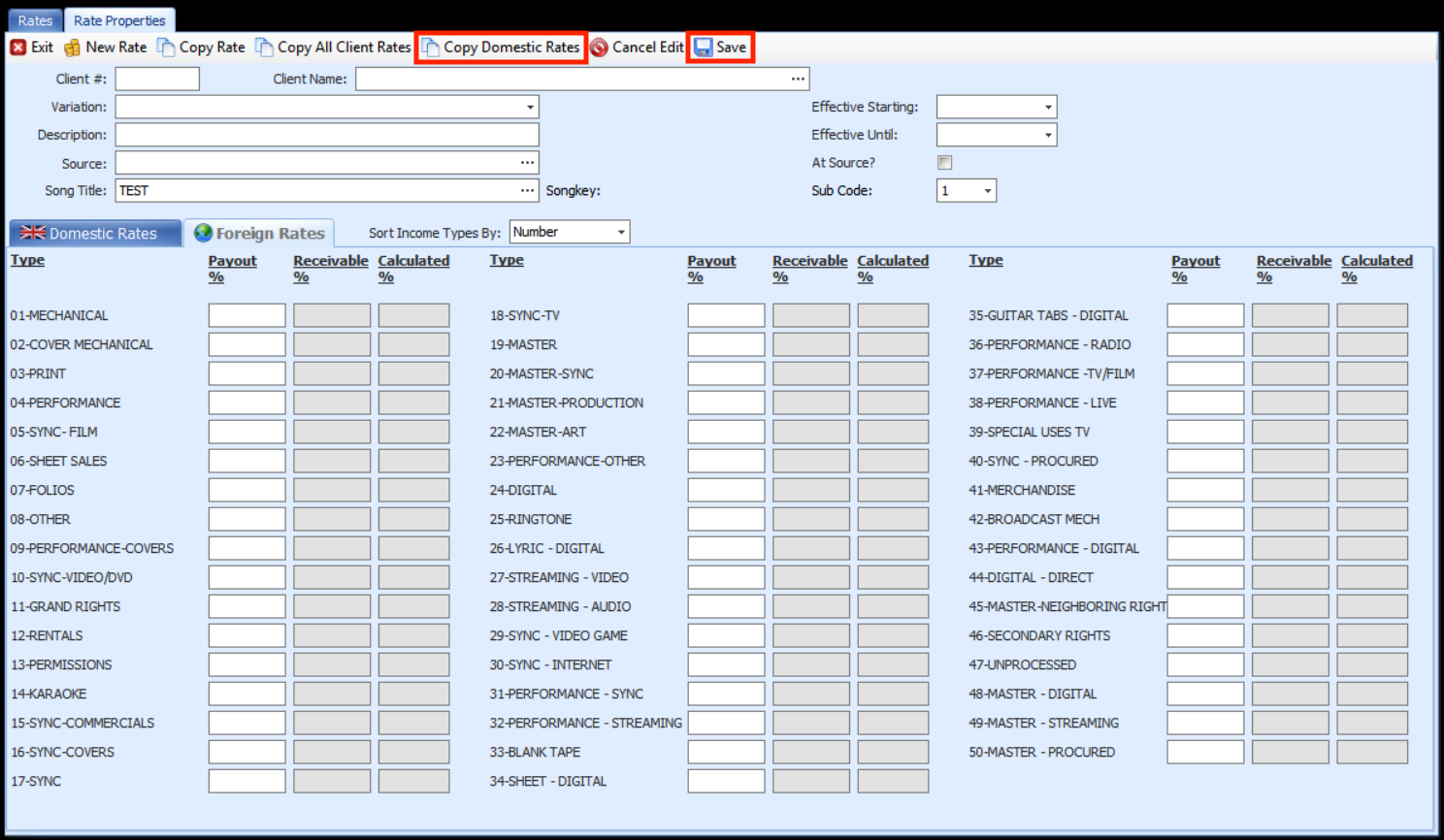
- Click Save.
- Copy rate to other linked clients by clicking Copy Rate.
