
Search
- Click Open CWR in the first tab of the IRIS ribbon.

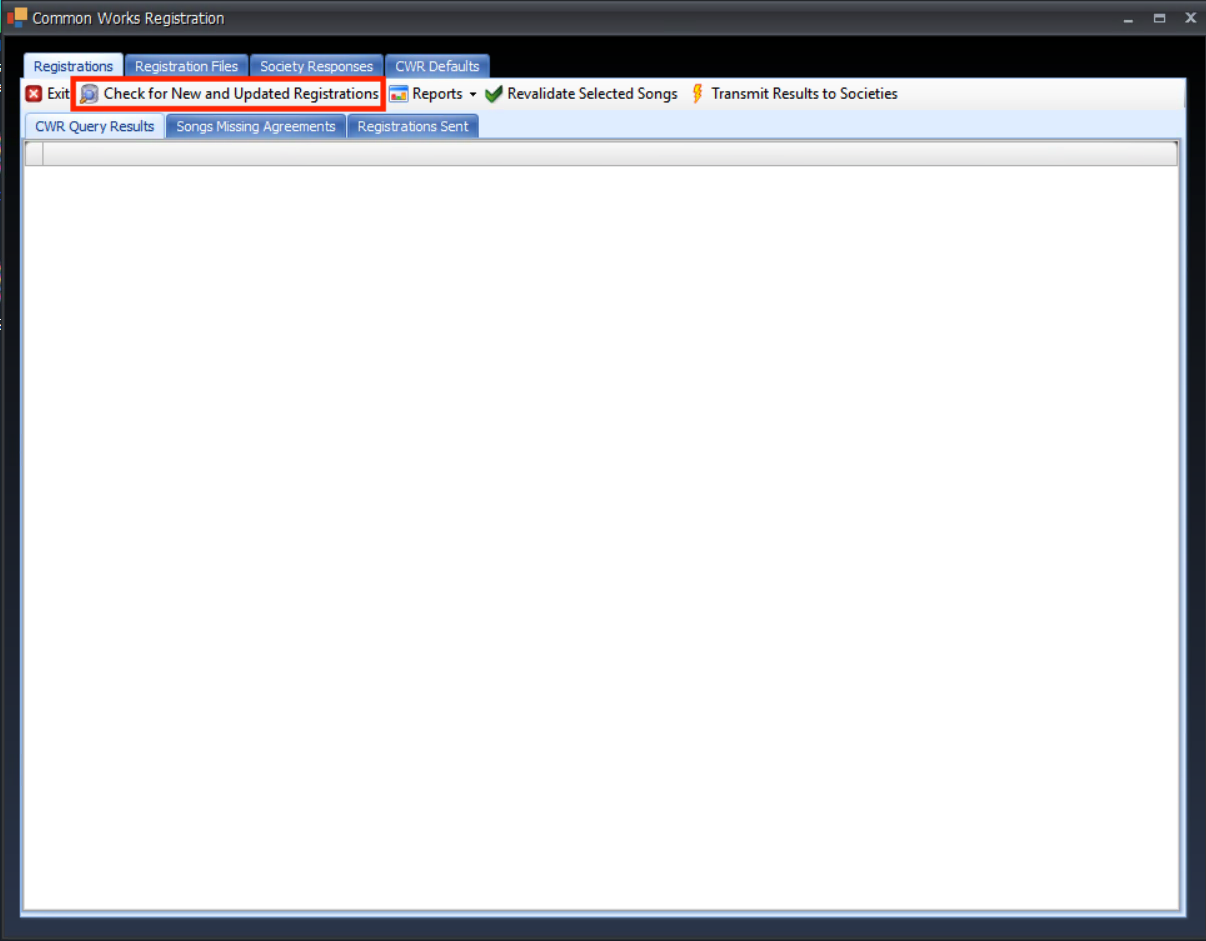
- Click "Check for new and updated registrations" at the top.
- Select "By Group Code" or “By Date Entered Range” from the Search on field (You can also use other criteria).
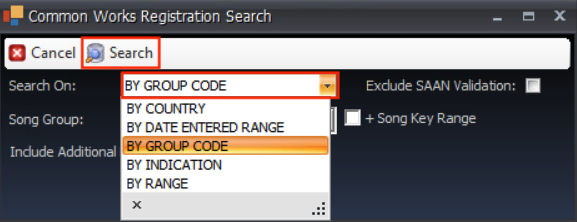
- Click Search at the top.
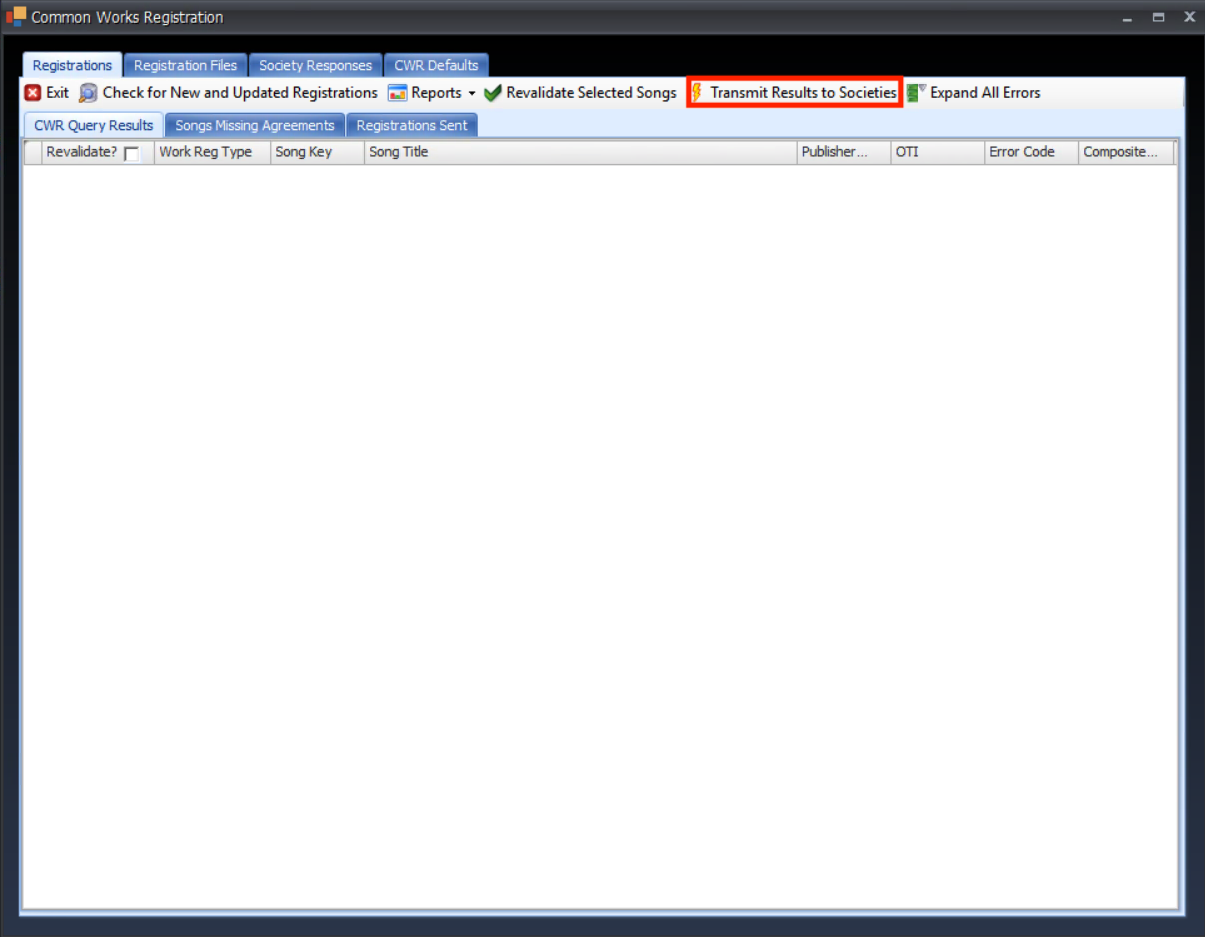
- Your songs will be returned. If there are no errors on these, click "Transmit results to societies" at the top.
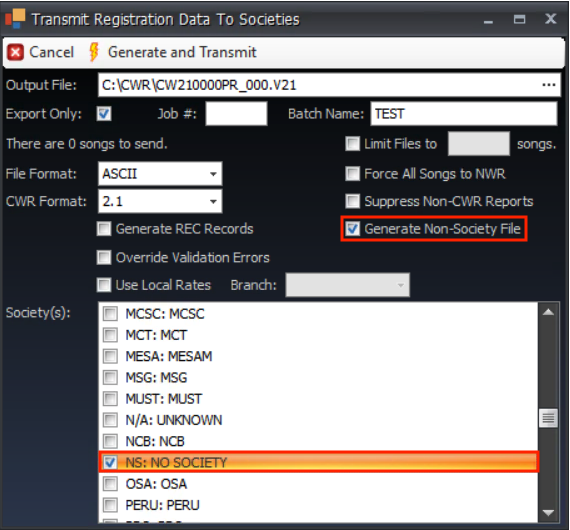
- In the pop-up menu, click Export Only (this will generate the file but you will send it yourself).
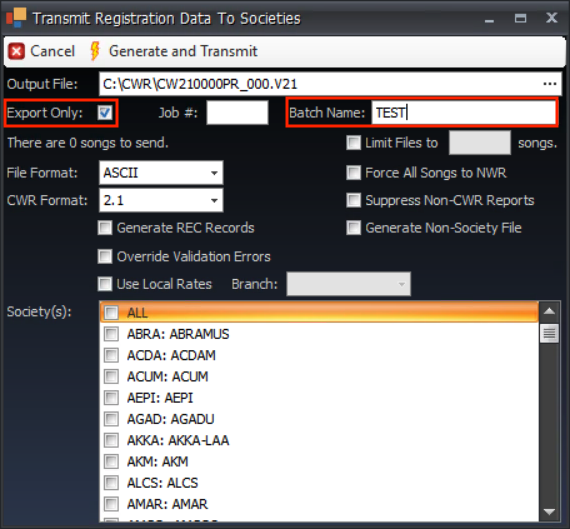
- Create a batch name (i.e., Synchtank123).
- If you are creating a file for Spotify or YouTube, click Generate Non society file, then choose NS for Non-Society from the list.
- Click Generate and transmit at the top.
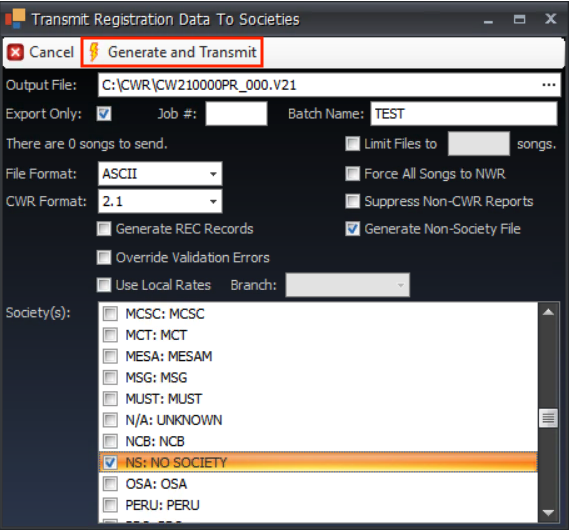
- It will tell you it was successful and ask you if you want to open the file. (If not, you can see where the file is located at the top of the window in the Output File field).