Search
Scheduled Release: October 2024 | Affected Systems: All Customers
This Release covers a range of improvements to various parts of the platform, all of which are designed to keep your data aligned with the latest industry and DDEX standards.
Ensuring industry compliance through platform upgrades to Masters, Albums and DDEX Delivery.
The following areas of the Synchtank Platform are improved with this release:
- Masters (Sound Recordings)
- Album Details, Release Deals, Track List
- Reports (Export/Import)
- Audio Upload
- Delivery Module (DDEX)
- CMS/Admin (Admin Settings, Website Settings, Metadata)
Note: Website Front End will be discussed with each customer individually
DDEX and Release Deals:
DDEX , aka the Digital Data Exchange, is a “standards-setting organization focused on the creation of digital value chain standards to make the exchange of data and information across the music industry more efficient.”
These standards are used by the Music Industry to deliver media and metadata files between entities within the music supply and value chains.
For example, when a record label is ready to do a digital release, the label (or its distributor) sends the details of that release to the DSPs via a DDEX Electronic Release Notification (ERN). The ERN includes Audio, Artwork, and Metadata for the release, including the commercial terms by which the DSPs (store) may make the release available on their platforms.
A release may have one or more set of terms (Deals), and those will be captured in the new Release Deals section* of your Synchtank system.
Data Included in the Release Deals: Release Territory, Start & End Dates, Commercial Models, Usage Types & Pricing
* Note: if your system does not include Delivery Module, then use of this section is optional.
Album vs. Track Release Deals
An Album/Release can have one or many tracks, e.g. an EP with four tracks or a single release with different versions or an Album with 10 tracks. So the album will have its own terms and each track could have its own set of terms as well.
Within an album deal the main items are usually the below:

“Rel = Release”
Inherently all the tracks within the Album/Release will have the same terms.
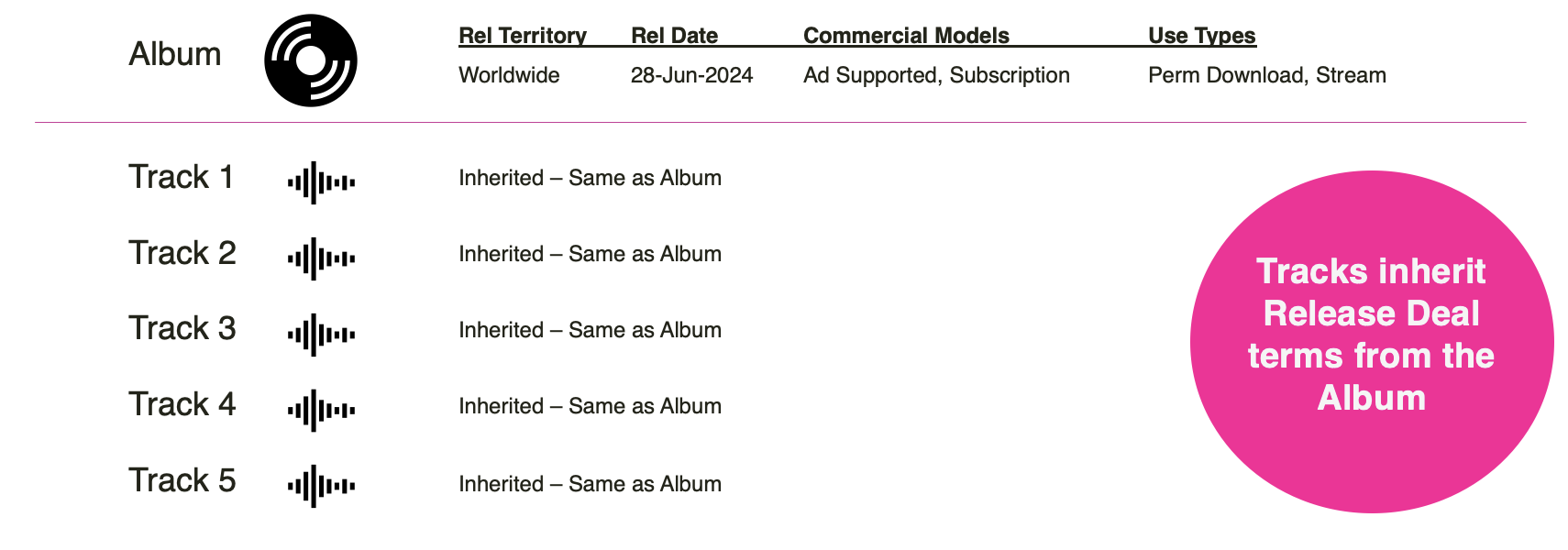
Because those tracks require the same details we enabled the ability for you to copy those terms on the Album/Release tracks.
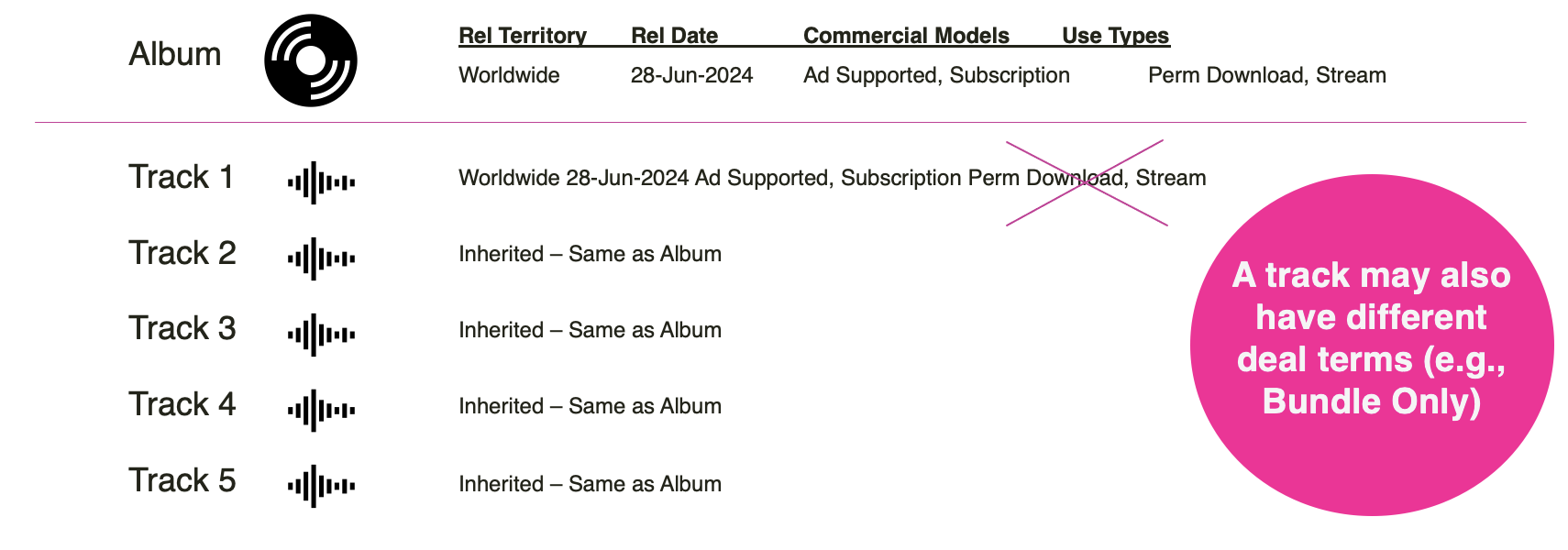
But there are times when a given track doesn’t match the deal terms of the album, such as bundle only deals etc, so there is also the ability to amend your specific track terms as well.
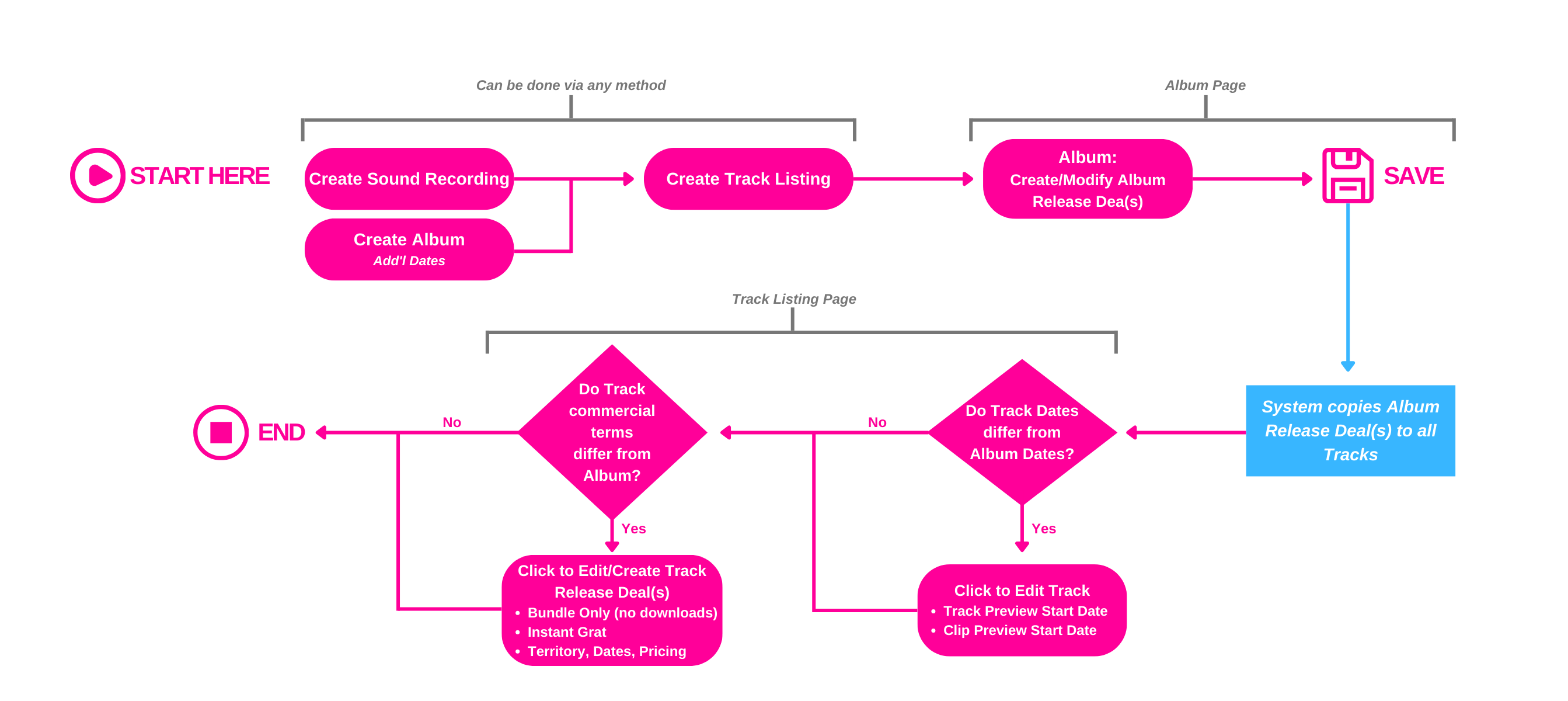
Business Process at a Glance
Below are the essential steps to follow when preparing a digital release for distribution. You can create an Album/Sound Recording through many ways with Synchtank and once the Track Listing has been generated you navigate to the Album page (where changes have been made, details further below) but then you go through manage your deals and terms, amending where necessary.
CMS/Admin Changes
- Masters (Sound Recordings)
- Albums
- Reports (Export/Import)
- Audio Upload
- Delivery Module (DDEX)
- Admin Settings, Website Settings, Metadata
Master Details
Master Data Fields have been added and regrouped into new sections:
- Sound recording information
- Website visibility and restrictions
- Related files and media
- Create metadata/ lyrics
- System information
- Contractural rights
Albums
Album Details:
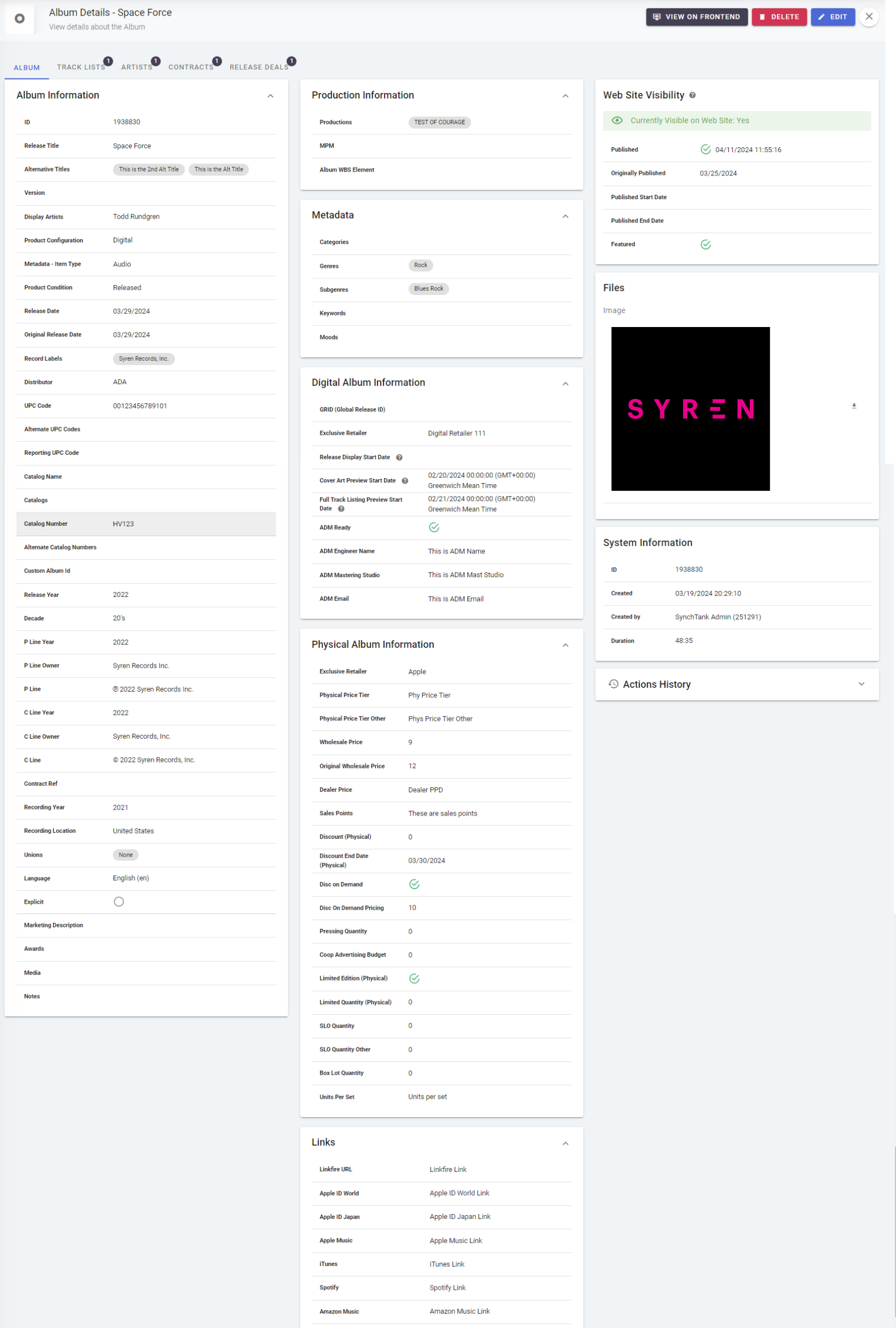
Similarly, Album data fields have been added and regrouped into new sections:
- Album Information
- Production Information
- Metadata
- Digital Album Information
- Physical Album Information
- Links
- Web Site Visibility & Restrictions
- Related Files & Media
- System Information
Release Deals:
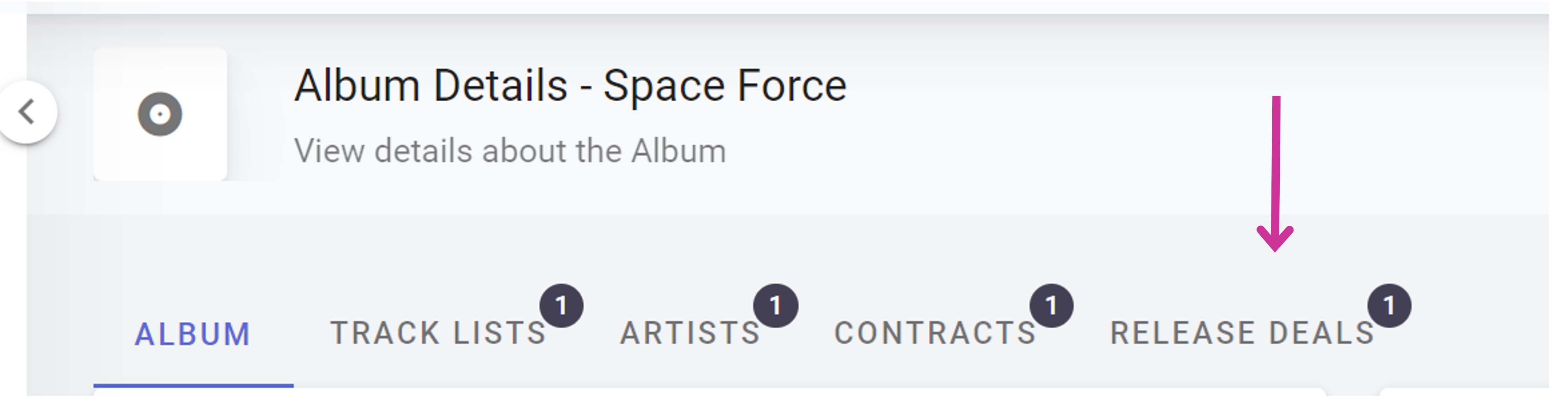
At the top of the Album page are the tabs and we now have a new tab titled “Release Deals”.
In the Release Deals tab, you’ll see a list of existing Album Release Deals. You may choose to create no Release Deals, or many, depending on your release plan and how you wish to use your Synchtank system. As Admin, you are in full control of how your Release Deal data is presented.
Adding a release deal:
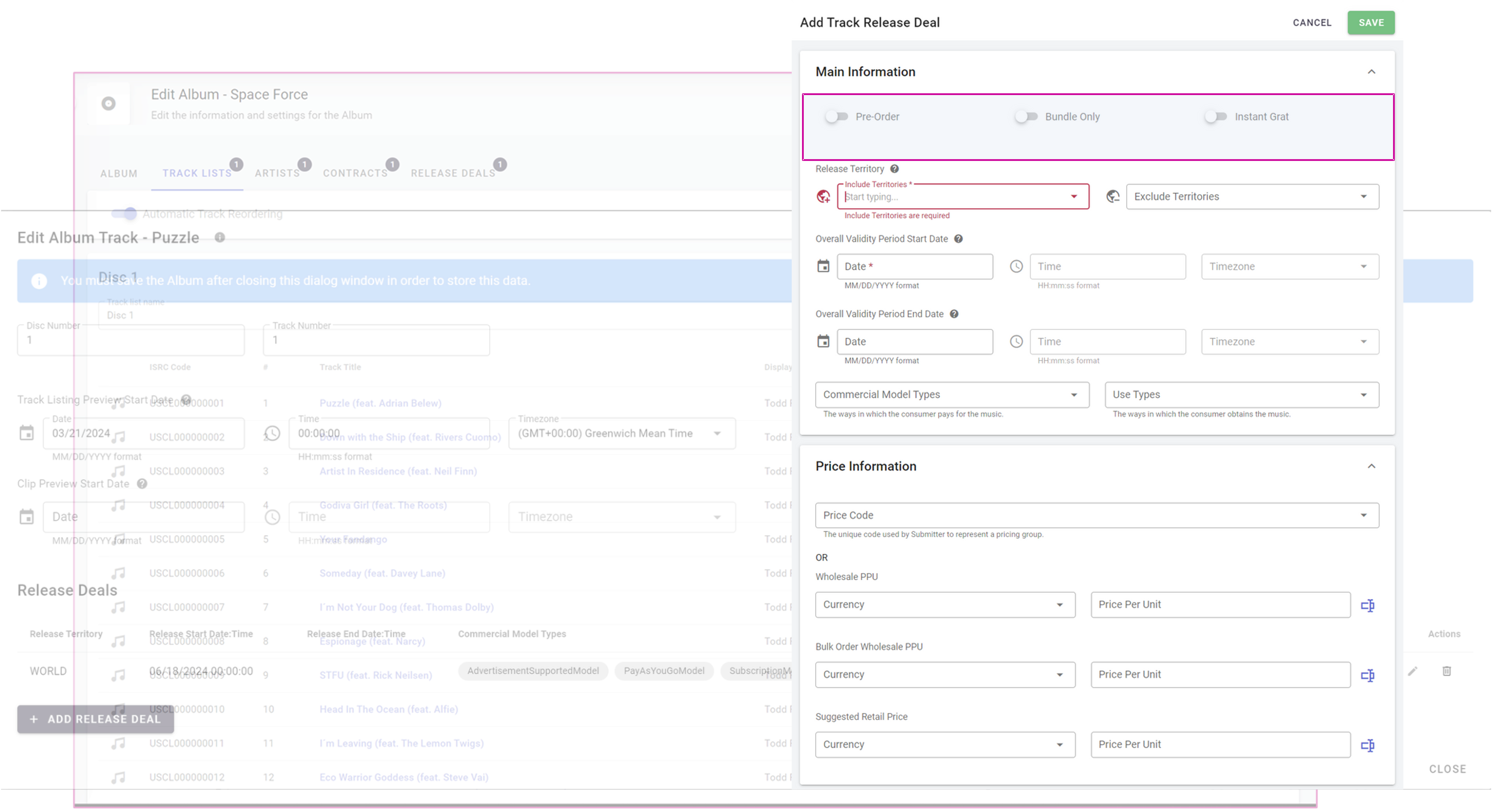
Within the main information section you can add the details of your release deal. There is a slider which allows you to show if the deal being added is a pre-order deal (if your Album is a pre-order deal then you fill out all the details and create a new release for the pre-order deal as those terms can differ).
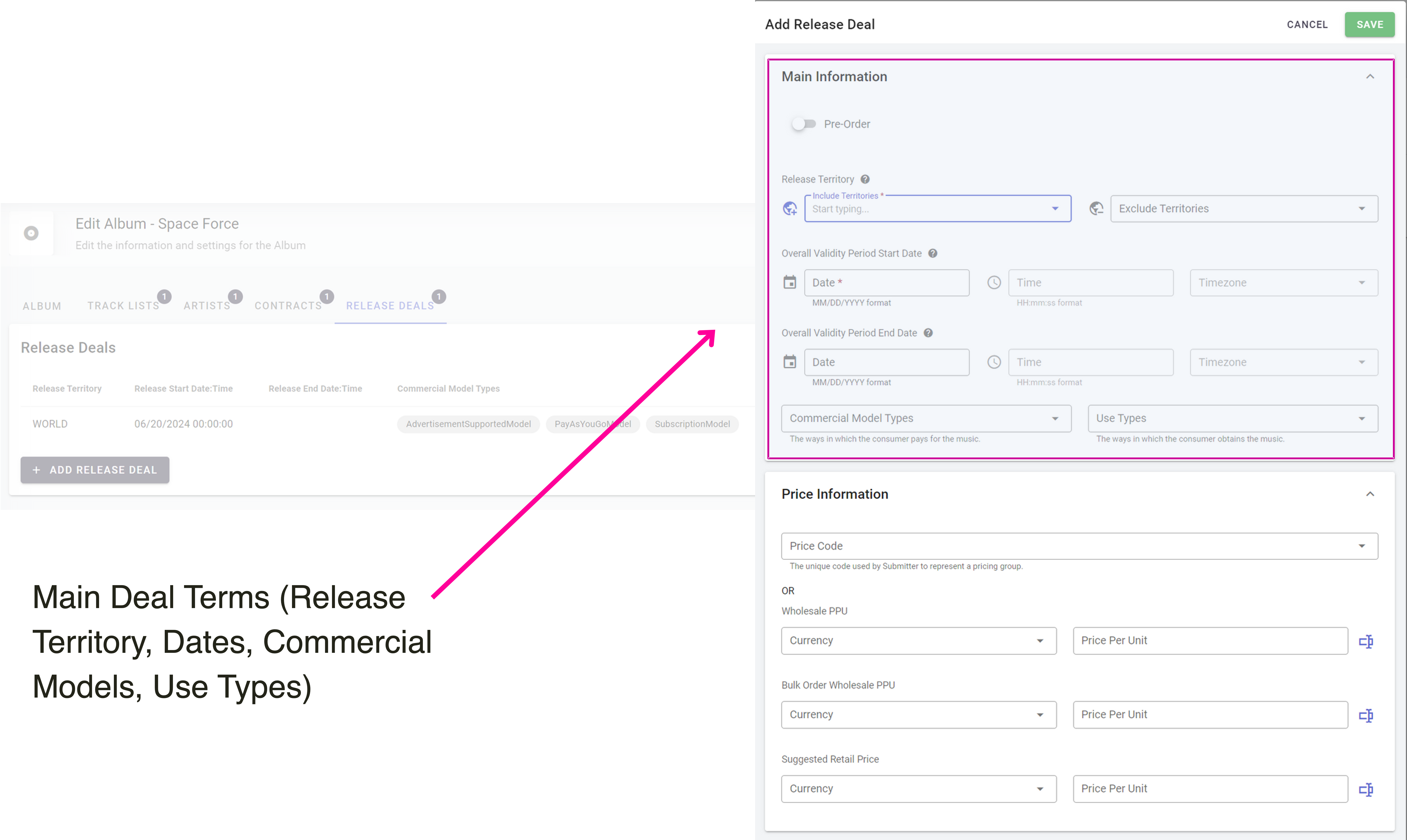
Within your top section there are handy elements such as including/excluding territories as well as worldwide. Validity dates for the DSP’s to know when the Album will be visible in store, and if you include an end date that will mean the DSP will remove from their site on that specific date. Within this section we have also included ‘timezone’ to allow you to release your Album worldwide at the same time (so Australia doesn’t get the release before anyone else!).
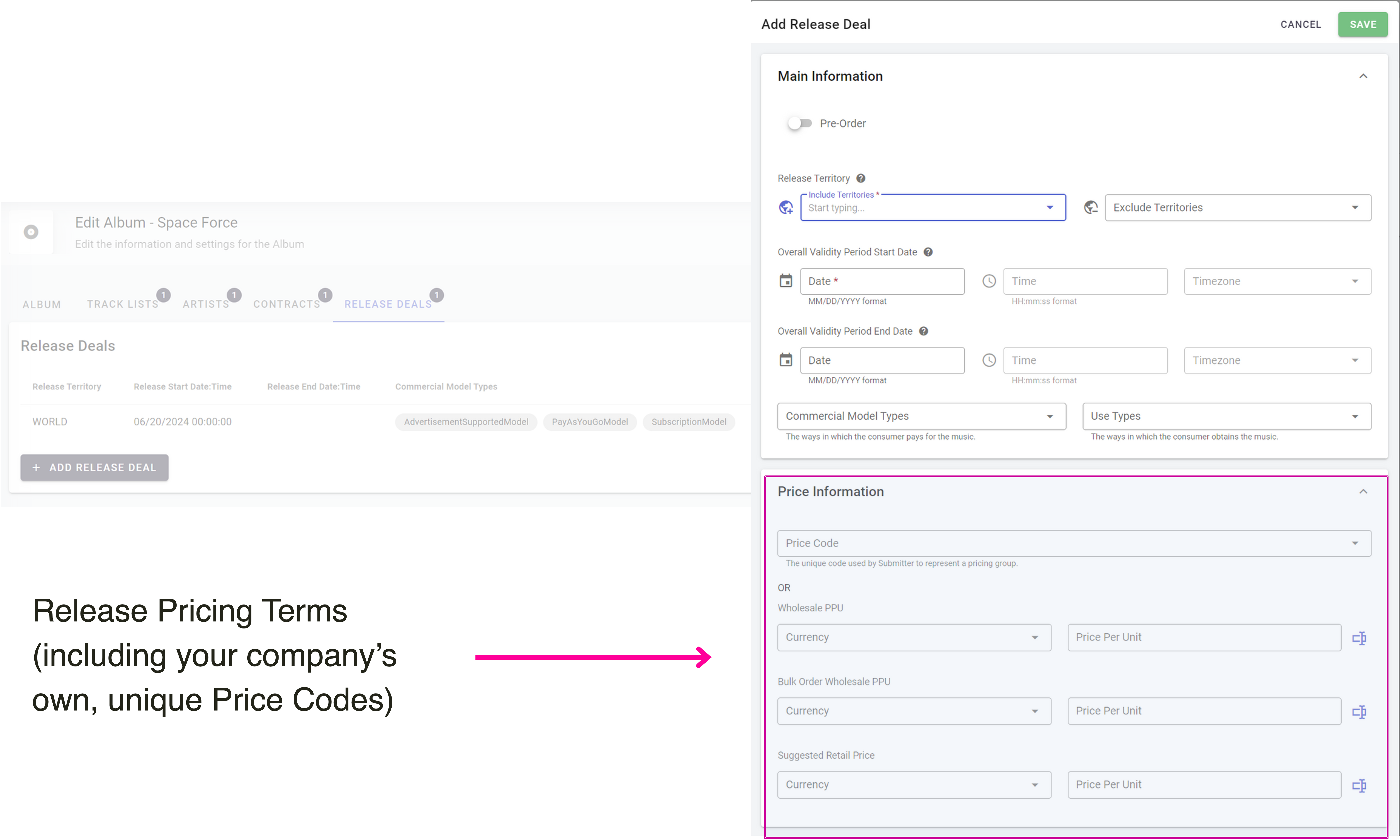
Then you have your price information, and for all label cases the need for price codes is required and unique to every company - this has now been implemented within the Synchtank system and we can implement specific codes for you.
Track Lists:
The Track Lists tab (formerly ‘Sections’) shows all Tracks on the Release. The columns for Download, Streaming, and Bundle Only have been removed (now found in Track Release Deals) but we have two new columns ‘Preview Date Overrides’ so you can see if the dates on the track do or do not match the album and ‘Release Deal Overrides’ which is when the track deal terms do not match the release deal terms. All allowing you to see at a glance if tracks differ.
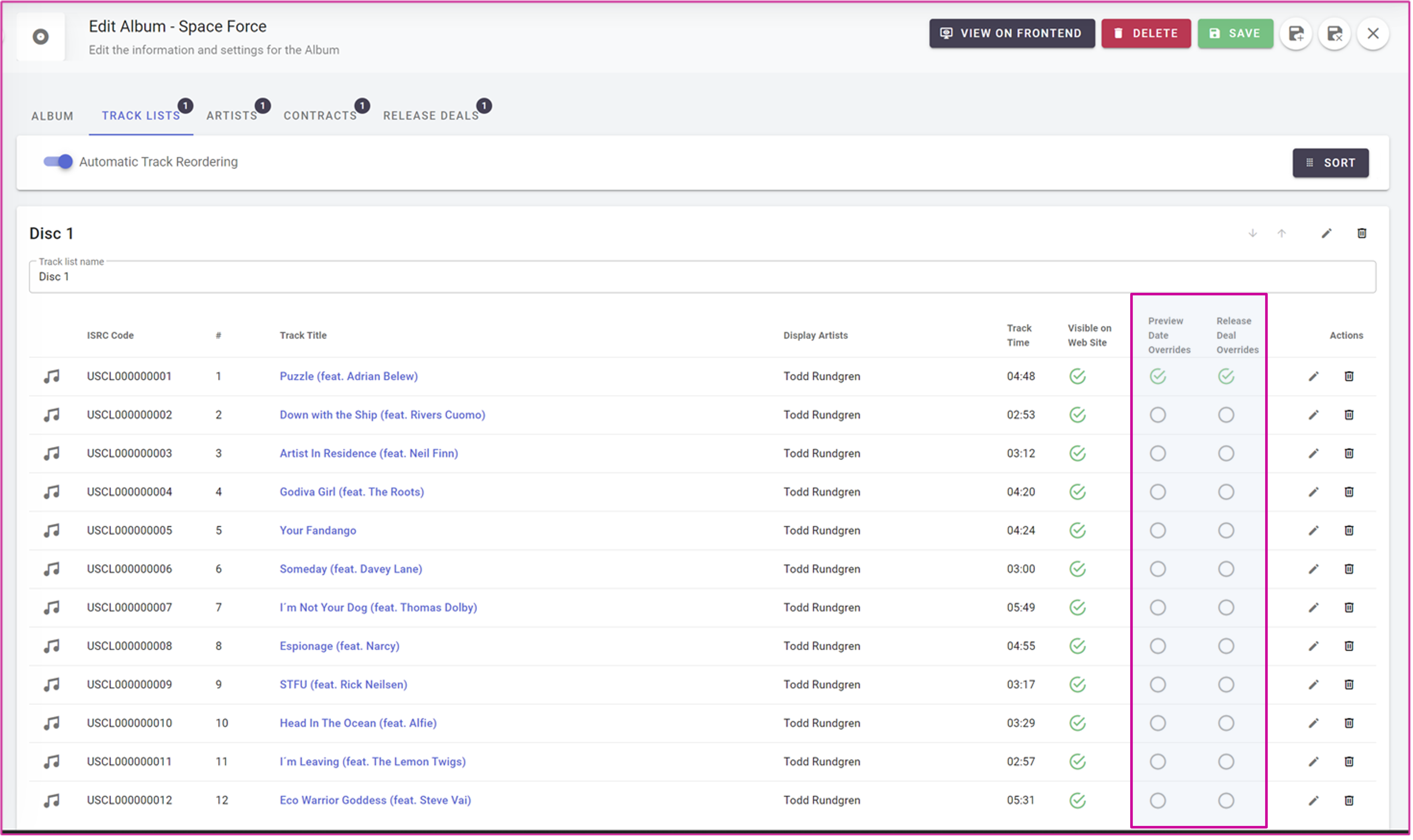
Track Details:
A Track is the instance of a Sound Recording on an Album. Clicking to edit a given Track on the Album opens the Track (not Master!) details.
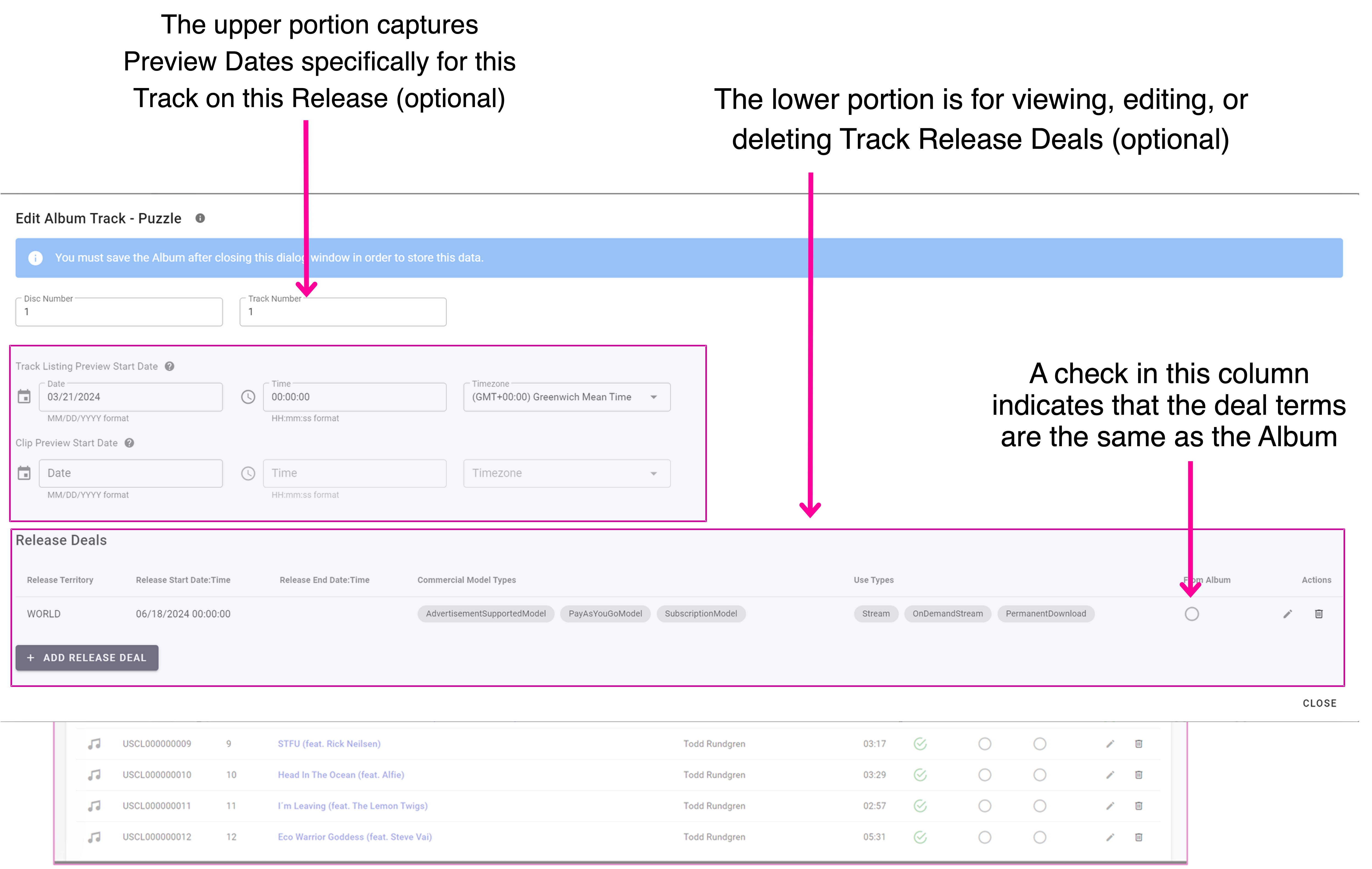
Track Release Deals
This screen is very similar to the Album release screen, but with a couple of exceptions; the toggles at the top that say; Pre-Order, Bundle Only and Instant Grat.
Reports (Export/Import)
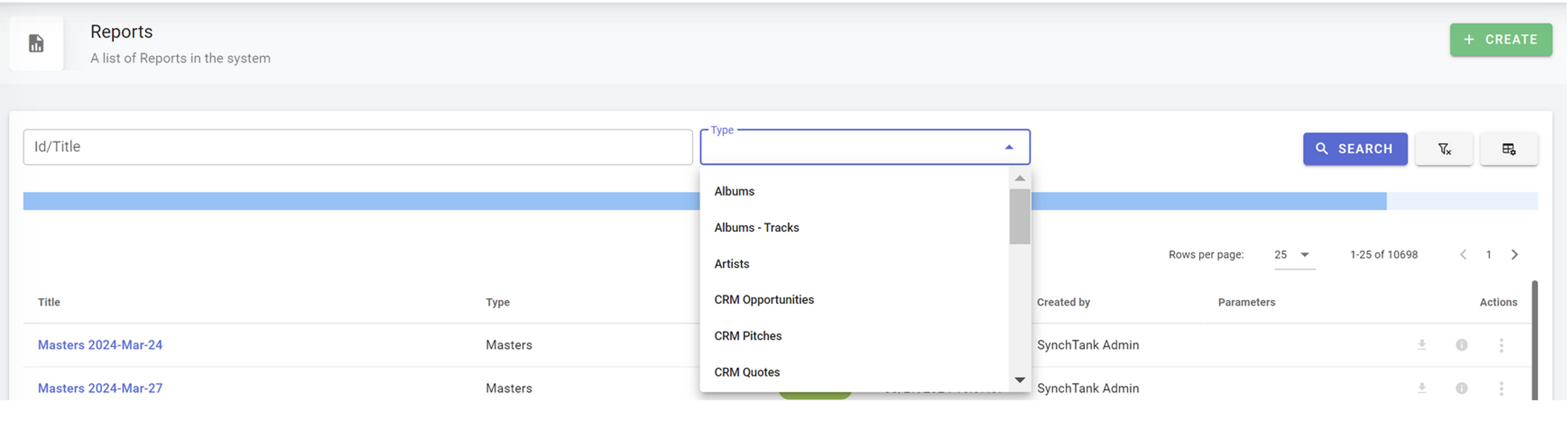
The “Masters”, “Albums”, and “Album – Tracks” reports have been updated to reflect the new schema and interface designs. As ever, these reports may also be used for catalog bulk edits and re-importing.

Audio Upload
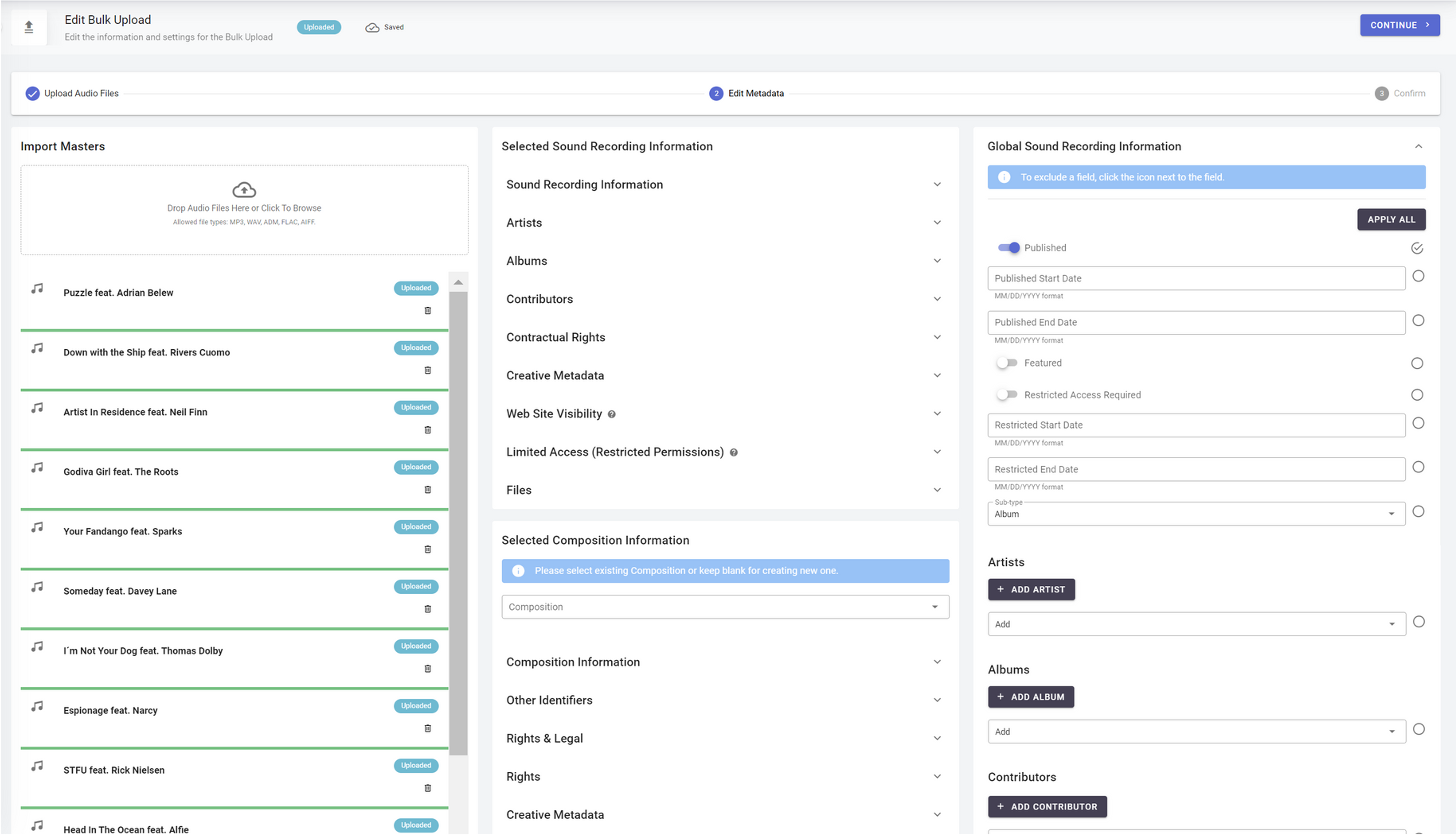
Import Tools: Bulk Upload (importing catalog via Audio Files) has been streamlined and upgraded to reflect the new schema and interface designs (including Compositions 2.0). It has all the new fields, sections and everything new mentioned above.
Delivery Module
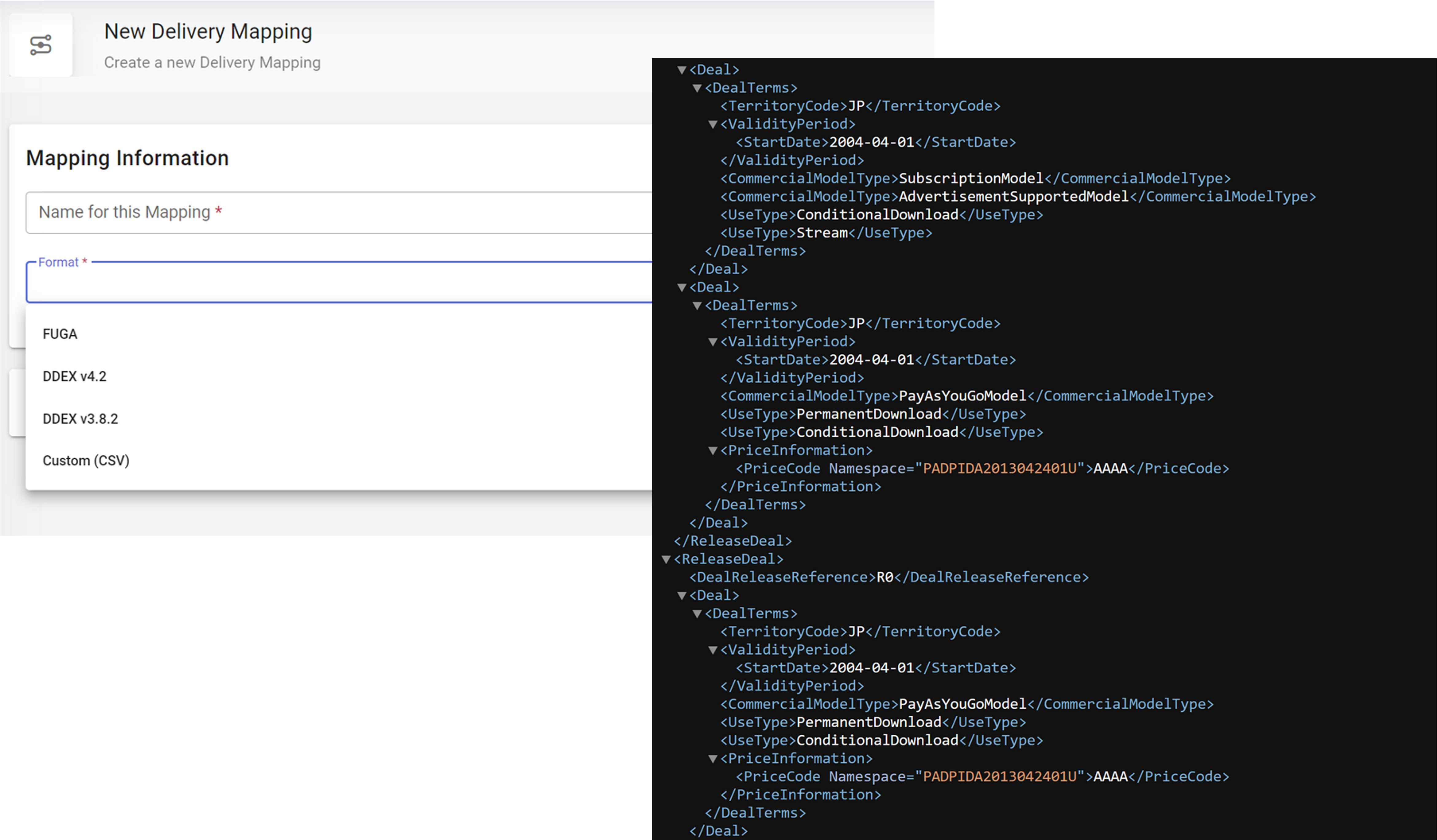
Your Delivery Module now comes with DDEX v. 3.8.2 and DDEX 4.2 mappings, complete with Release Deals from your system included in the output!
Admin Settings, Website Settings, Metadata
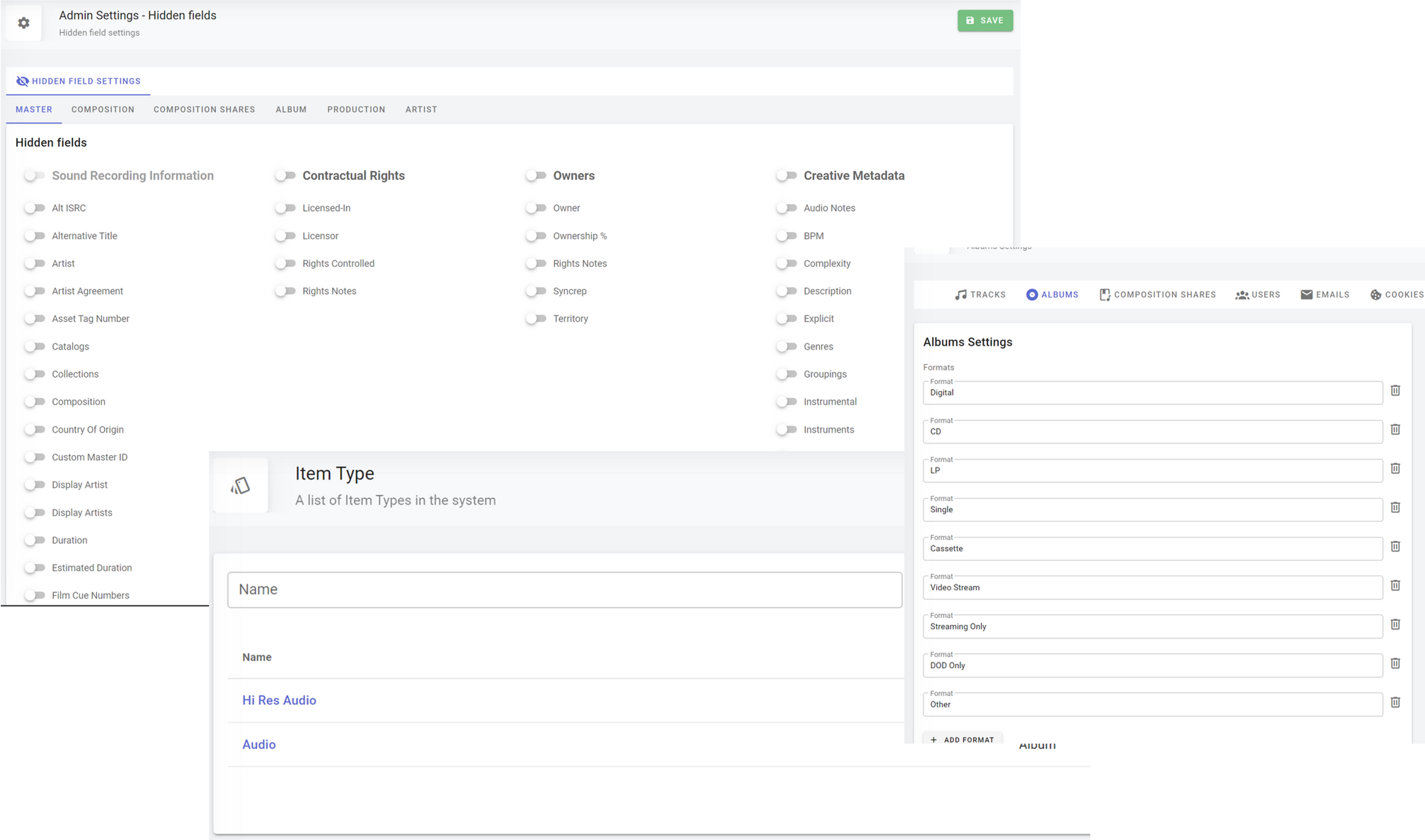
Configure your Admin system through Hidden Field selection, Album Settings, Item Types, and more!